Table of Contents
- What Makes a Smart Home Setup Beginner-Friendly?
- How to Choose a Smart Home Ecosystem
- Smart Home Privacy and Security Best Practices
- Essential Devices for Your First Smart Home Setup
- Smart Home Automation Ideas for Beginners
- Step-by-Step Setup: From Wi-Fi to Routines
- What to Buy First (and Where to Buy It)
- Conclusion
- Frequently Asked Questions
Last Updated: September 11, 2026
What Makes a Smart Home Setup Beginner-Friendly?
A beginner-friendly smart home setup works reliably with minimal technical effort, uses one ecosystem you already understand, and grows device by device. The best smart home setup for beginners in 2026 starts with one voice assistant, one hub, and three to five devices that solve real daily problems.
We’ve watched the smart home market shift from hobbyist tinkering to plug-and-play hardware. The devices are easier than ever; the hard part is choosing an ecosystem you won’t regret in two years.
Compatibility decisions you make in week one determine what you can add in year three. Below: ecosystems, privacy basics, essential first devices, and a setup you can finish in an afternoon.
How to Choose a Smart Home Ecosystem
The right ecosystem is the one whose voice assistant and app you’ll actually use daily. Amazon Alexa, Google Home, and Apple Home each anchor a mature ecosystem, and switching later means replacing hubs and re-pairing everything. An ecosystem is three layers: the voice assistant, the app that manages devices, and the radio protocols the hardware uses.
Three criteria decide it:
- Phone loyalty: iPhone owners get the smoothest experience with Apple Home; Android users with Google Home.
- Device variety: Alexa and Google support the widest range of third-party hardware.
- Privacy posture: Apple processes more requests on-device; Amazon and Google rely more on cloud processing.
Voice Assistants: Alexa, Google, or Apple?
Alexa leads on device compatibility and budget hardware, which is why the Amazon Echo Dot remains a common first purchase. Google Assistant handles natural language queries best and pairs well with dashboards like the Google Nest Hub Max. Apple Home wins on privacy and Apple integration, but its device list is shorter and hardware costs more.
The practical test: pick the assistant tied to the phone in your pocket. Cross-platform voice control works, but the tightest integrations, Siri Shortcuts, Google’s Android quick settings, Alexa’s phone notifications, only unlock inside their own ecosystem.
Hubs and Local Control
A smart hub bridges your sensors, locks, and lights to one another and to the internet. Some setups use a voice speaker as the hub; others use dedicated hardware. The hub determines whether your automations survive an internet outage and whether you can mix brands freely.
For beginners who want privacy and reliability, the Home Assistant Green runs automations locally, so routines keep working when the internet drops. The Aqara Camera Hub G5 Pro combines a security camera with a Zigbee hub and supports Matter, the cross-brand standard that lets devices from different manufacturers talk to each other.
Connectivity Standards Alliance Matter overview explains how Matter reduces the old problem of buying a device that only works with one brand.
Protocols Explained: Wi-Fi, Zigbee, Z-Wave, and Matter
This layer decides what you can add later.
- Wi-Fi devices connect straight to your router, no hub needed, but each occupies bandwidth, and a dozen Wi-Fi plugs can congest a basic router.
- Zigbee and Z-Wave are low-power mesh protocols. Devices relay signals through each other, so coverage improves as you add hardware. Both require a hub, and the two aren’t interchangeable: a Zigbee bulb won’t talk to a Z-Wave hub without a bridge.
- Matter is the newer application-layer standard built on Wi-Fi, Ethernet, and Thread. A Matter-certified device works across Alexa, Google Home, Apple Home, and SmartThings simultaneously, the closest the industry has come to ending the “walled garden” problem (csa-iot.org).
- Thread is the low-power mesh radio Matter often runs over. It needs a Thread border router, some smart speakers and hubs include one built in.
The Future-Proofing Rule
For a setup you won’t regret in two years, buy Matter-certified hardware where available and choose a hub that supports both Zigbee and Thread. That lets you add budget Zigbee sensors today and Matter devices later without replacing your foundation. Buying a proprietary bridge for every brand is how beginners end up with five apps and no working automations.
Check the box or product page for the Matter logo before you buy. A device that lists “Works with Alexa” but not Matter may still be locked to a single ecosystem.
Smart Home Privacy and Security Best Practices
Privacy is the most under-covered part of beginner smart home advice. Every cloud-connected device is another endpoint, and most breaches trace back to weak credentials and outdated firmware, not exotic attacks.
What actually matters:
- Change default passwords on every device during setup.
- Enable two-factor authentication on your Amazon, Google, or Apple account.
- Segment your network by putting smart devices on a separate Wi-Fi band or guest network from your laptops.
- Update firmware when prompted; most apps push these automatically.
- Audit app permissions quarterly and revoke access for devices you no longer use.
Skipping network segmentation is a common mistake. One compromised smart plug on your main network gives an attacker a foothold next to your personal files, not just your lights.
Essential Devices for Your First Smart Home Setup
Start with devices that replace something you already do manually: turning on lights, adjusting the thermostat, locking the door. Skip anything that only adds novelty.
Smart Speakers and Displays
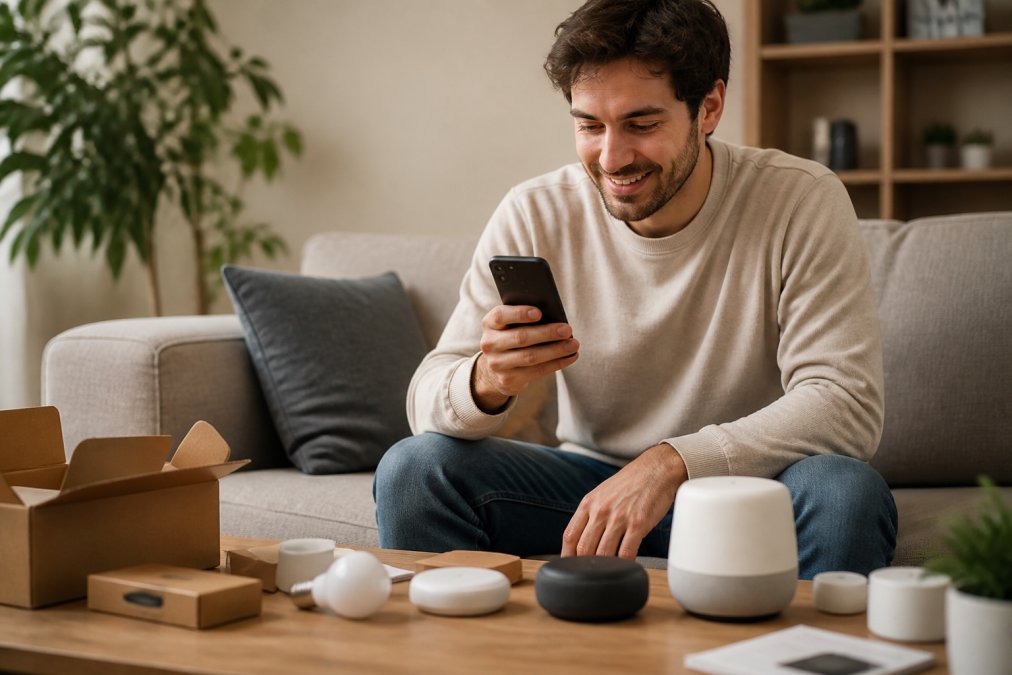
A smart speaker is the entry point. The Echo Dot is the cheapest way to test whether voice control fits your habits. For a visual dashboard for cameras and calendars, the Google Nest Hub Max doubles as a command center.
Lighting, Plugs, and Sensors
Smart lighting delivers the fastest visible payoff. IKEA TRÅDFRI bulbs are a low-risk way to test automations. Smart plugs turn existing lamps and fans into app-controlled devices, and motion sensors trigger lights automatically.
Security and Climate Control
For security, the Ring Alarm System installs without professional help and scales one sensor at a time. The Schlage Connect Smart Lock adds keyless entry, though remote features require a Z-Wave hub. On climate, the Ecobee Smart Thermostat supports room sensors and works across all three major platforms; the Nest Learning Thermostat automates scheduling with less input.
| Device | Starting Price | Best For | Platform Notes |
|---|---|---|---|
| Echo Dot | $49.99 | First voice assistant | Alexa ecosystem |
| Google Nest Hub Max | $229.00 | Visual dashboard | Google Home |
| Home Assistant Green | $159.00 | Local control, privacy | Works with most brands |
| Aqara Camera Hub G5 Pro | $119.99 | Security plus hub | Matter, HomeKit |
| Ecobee Smart Thermostat | $189.99 | Energy savings | Alexa, Google, Apple |
| IKEA TRÅDFRI Bulb | $9.99 | Budget lighting | Needs hub for full features |
Smart Home Automation Ideas for Beginners
The best beginner automations are boring: they run without you noticing. Start with three, then add only when a routine genuinely annoys you.
- Morning: lights fade on at 6:30 a.m., thermostat rises to your wake temperature.
- Away: locking the door triggers lights off and thermostat to eco mode.
- Night: motion in the hallway after 10 p.m. dims lights to 20 percent.
- Security: camera detects motion while armed and sends a phone alert.
Name your routines by what they do, not when they run. “Goodnight” tells you nothing six months later; “Lock doors and dim hallway” does.
Step-by-Step Setup: From Wi-Fi to Routines
Total time: about 90 minutes for a starter kit of one speaker, two bulbs, and a plug.
What you’ll need: your Wi-Fi password, a smartphone, and the manufacturer apps for each device.
- Stabilize your Wi-Fi (15 minutes). Place your router centrally; a mesh network system helps if coverage is patchy. Confirm your router broadcasts on the 2.4 GHz band, most smart bulbs and plugs only support 2.4 GHz, not 5 GHz, and this mismatch causes more failed setups than any other issue (fcc.gov).
- Set up your hub or speaker (10 minutes). Plug it in, open the app, connect to Wi-Fi. If you’re using a dedicated hub, place it centrally too, Zigbee and Thread signals weaken through walls and floors.
- Pair devices one at a time (30 minutes). Add bulbs and plugs through the app and test each before moving on. For Zigbee or Z-Wave devices, put the hub in pairing mode first, power the device within a few feet of the hub, then move it to its final location.
- Link everything to your assistant (10 minutes). Enable the device’s skill or service inside Alexa, Google Home, or Apple Home. If a device doesn’t appear, confirm it’s online in the manufacturer app first, the assistant can only see devices the manufacturer cloud reports.
- Build your first routine (15 minutes). Create one trigger and one action. Test it. Start with a single trigger (a time, a sensor, or a device state) and a single action before stacking conditions.
- Secure the network (10 minutes). Change passwords, enable 2FA, move devices to a guest network.
Expected result: voice control of lights and plugs, plus one working automation.
When a Device Won’t Connect
Most first-setup failures fall into four buckets:
- Wrong Wi-Fi band. The device sees only 2.4 GHz. Temporarily disable 5 GHz on your router or split the bands into separate network names during setup.
- Weak signal at the pairing spot. Move the device closer to the hub or router to pair, then relocate it. Mesh protocols like Zigbee get stronger as you add devices, so a distant sensor may work fine once a nearby plug is online.
- App and account mismatch. The device is paired in the manufacturer app but not linked to your assistant. Re-run the skill or service connection.
- Stale firmware. An out-of-date device may refuse to join. Check the manufacturer app for an update before re-pairing.
Maintenance You’ll Forget Until It Breaks
A beginner setup needs a light maintenance rhythm. Firmware updates arrive through the manufacturer app and usually install automatically, but battery-powered sensors, motion, door, and window contacts, typically last one to two years and then silently drop offline. Replace all sensor batteries on the same schedule each year so nothing fails mid-automation, and check your hub’s device list monthly for anything marked offline.
Don’t rename devices after you’ve built routines around them. Most platforms break the automation link when a device name changes, and you’ll have to rebuild the routine from scratch.
A working starter setup beats a perfect plan. Get three devices running, live with them for two weeks, then expand based on what actually annoys you.
What to Buy First (and Where to Buy It)
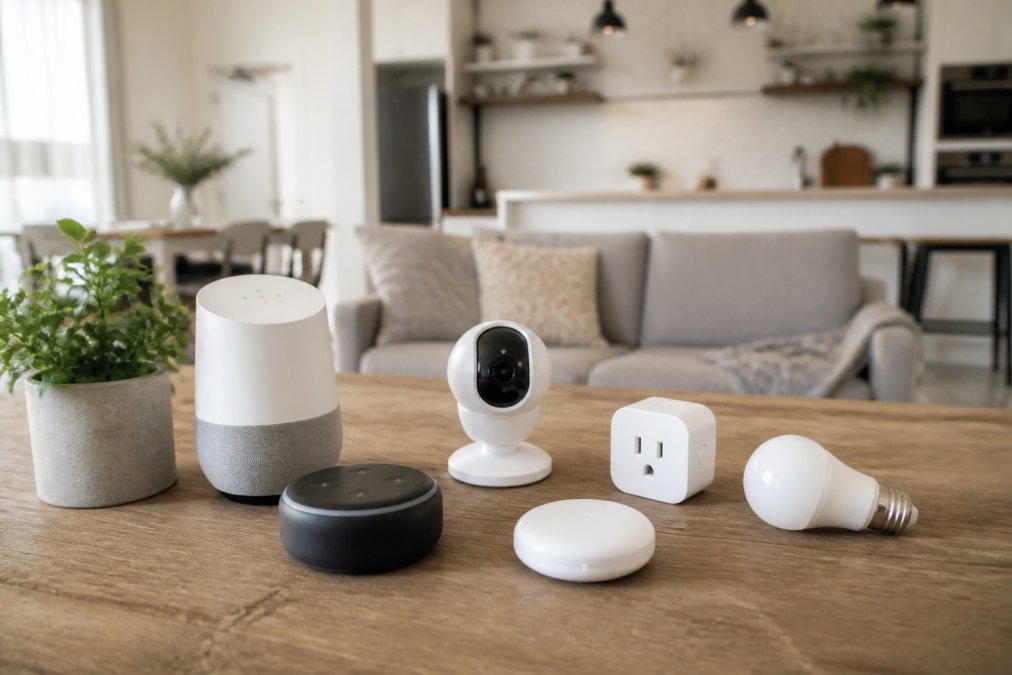
Beginners often overbuy. The pattern that works: one speaker, two bulbs, one plug, covering most “wow” moments without locking you into anything expensive.
Where you buy matters less than how carefully the products were selected. Greenmatrax.com curates smart home devices and daily tech deals in one place, so you can compare reviewed hardware without opening a dozen tabs, saving the research time that usually stalls beginners.
Conclusion
The hard part of a beginner smart home isn’t installation; it’s choosing an ecosystem you won’t outgrow and securing it from day one. Greenmatrax.com reviews and aggregates quality smart devices and daily deals in one place, so you spend less time comparing listings and more time using your setup. Browse the curated selection, pick your ecosystem, and start with three devices.
Frequently Asked Questions
What is the best smart home setup for a beginner on a budget?
Start with a smart speaker like the Amazon Echo Dot and a few smart bulbs such as IKEA TRÅDFRI. Add a smart plug for lamps or small appliances. This basic smart home setup covers voice control, lighting, and scheduling without a hub. You can expand later with a smart thermostat or security camera. Total initial cost can be kept low, and you avoid being locked into one ecosystem.
Do I need a smart home hub to get started?
Not always. Many devices like Wi-Fi smart plugs and bulbs connect directly to your router and are controlled via apps or voice assistants. However, a hub becomes useful if you want to use Zigbee or Z-Wave devices, which offer better battery life and mesh networking. For beginners, a voice assistant like Alexa or Google Assistant can act as a basic hub. If you later add sensors or locks, consider a dedicated hub like Home Assistant Green for local control.
How do I ensure my smart home devices are secure?
Change default passwords, enable two-factor authentication on accounts, and keep firmware updated. Use a separate Wi-Fi network for smart devices if your router supports it. Choose devices that offer local control or have strong privacy policies. Avoid cheap unknown brands. For example, the Aqara Camera Hub G5 Pro supports Matter and HomeKit, which have stricter security standards. Regularly review app permissions and disable remote access when not needed.
What are the must-have smart home devices for 2026?
In 2026, focus on devices that support Matter for interoperability. Essentials include a smart speaker (Amazon Echo Dot or Google Nest Hub Max), smart lighting (IKEA TRÅDFRI), a smart plug, and a smart thermostat like Ecobee for energy savings. For security, a video doorbell or camera like Ring or Aqara. A smart lock such as Schlage Connect adds convenience. Start with two or three, then expand as you learn your routines.
How do I set up a smart home step by step?
First, ensure your Wi-Fi is strong and secure. Then pick an ecosystem (Alexa, Google, or Apple). Buy a starter device like a smart speaker and set it up via its app. Add smart bulbs or plugs one at a time, naming them clearly. Create routines (e.g., turn off lights at bedtime). Test voice commands. Finally, secure your network and devices. Most beginners can complete this in an afternoon.
What are some smart home automation ideas for beginners?
Start with simple routines: schedule lights to turn on at sunset, set a morning routine that plays news and adjusts the thermostat, or use motion sensors to turn on hallway lights. You can also automate your coffee maker with a smart plug. For security, set cameras to record when you’re away. These small automations save energy and add convenience without complex programming.