Table of Contents
- What to Look for When You Buy High Quality Smart Home Devices
- Top Smart Home Devices Worth Buying in 2026
- Smart Lighting: Philips Hue White and Color Ambiance Starter Kit
- Climate Control: Ecobee Smart Thermostat Premium
- Smart Entry: Yale Assure Lock 2
- Security and Monitoring: Aqara Camera Hub G5 Pro
- Voice Control Hub: Amazon Echo Show 11
- Video Doorbell: Arlo Video Doorbell (2nd Generation)
- Smart Plugs: TP-Link Tapo P110M Mini Smart Wi-Fi Plug
- Best Smart Home Gadgets Under $50
- How to Secure Smart Home Devices
- Smart Home Compatibility Guide
- Quick Comparison Table
- How We Select Quality Smart Home Devices
- Conclusion
Last Updated: August 21, 2026
What to Look for When You Buy High Quality Smart Home Devices
When you buy high quality smart home devices, three factors matter most: ecosystem compatibility, connectivity reliability, and straightforward setup. At Greenmatrax.com, we’ve evaluated smart home products to help you navigate this landscape without wasting time on devices that won’t integrate properly or deliver the promised experience. The real skill is matching the device to your actual use case, not picking whatever has the most impressive marketing copy.
Ecosystem and Interoperability
Your choice of ecosystem determines which devices work together seamlessly. The major players, Alexa, Google Home, and Apple HomeKit, each have different philosophies. Alexa dominates in device availability and third-party support (statista.com). Google Home excels at natural language processing and integrates tightly with Google services. Apple HomeKit prioritizes privacy and local control, though it offers fewer device options.
Look for products that support multiple platforms or use the Matter protocol, the emerging standard designed to let any smart device work with any hub regardless of brand. A thermostat that works with Alexa, Google Home, and HomeKit is insurance against future changes in your preferences or technology.
Connectivity and Wireless Standards
The wireless standard a device uses determines its range, reliability, and battery life. Wi-Fi works best for devices needing consistent high-bandwidth connections like video doorbells, but drains batteries quickly. Zigbee and Z-Wave are mesh networks that excel at reaching distant corners with lower power consumption, ideal for motion sensors, smart plugs, and locks. Bluetooth Low Energy works for personal devices but struggles with whole-home coverage. Thread is an emerging mesh standard gaining traction alongside Matter.
Ask yourself: Where will this device live? How far from my router? Does it need constant power or run on batteries?
Installation and Setup
Installation complexity separates devices that integrate smoothly from ones that create frustration. The Yale Assure Lock 2 exemplifies this, it installs with a screwdriver, connects in minutes, and works immediately. More complex devices like the Ecobee Smart Thermostat Premium require understanding existing wiring and may need professional installation.
Before you buy high quality smart home devices, verify that installation matches your comfort level. Check product documentation, watch setup videos, and read user reviews specifically about installation.
Top Smart Home Devices Worth Buying in 2026
Smart Lighting: Philips Hue White and Color Ambiance Starter Kit
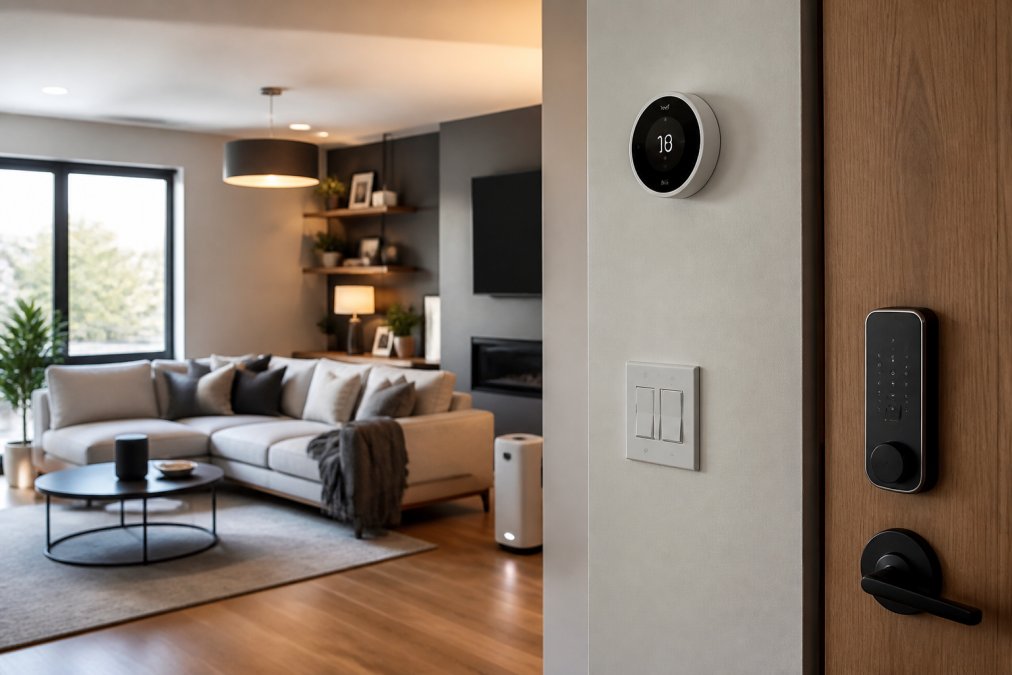
Philips Hue remains the gold standard for smart lighting, delivering exceptional color accuracy, extensive customization, and reliability that justifies the premium price. The Starter Kit includes a bridge, four smart bulbs, and a dimmer switch. You can schedule scenes, create automations based on time of day or presence detection, and adjust color temperature across millions of options. Voice control works flawlessly across Alexa, Google Assistant, and Siri. The honest limitation: Hue requires a bridge for full functionality, adding cost and complexity. Hue bulbs integrate smoothly with other quality smart home devices and support local control through the bridge, so your lights continue working even if your internet drops.
Climate Control: Ecobee Smart Thermostat Premium
The Ecobee Smart Thermostat Premium learns your heating and cooling patterns, monitors indoor air quality, and includes a remote room sensor that maintains uniform temperatures throughout your home. The learning algorithm adapts to your schedule and weather patterns, optimizing when your system runs to balance comfort and energy consumption (peer-reviewed research). Setup requires understanding your existing thermostat wiring, which can be intimidating if you’ve never worked with HVAC systems. The app walks you through the process with clear visuals. Once installed, the device handles everything automatically and integrates with Alexa, Google Home, and HomeKit.
Smart Entry: Yale Assure Lock 2
Yale Assure Lock 2 represents the sweet spot for smart locks, straightforward installation, reliable performance, and security features that don’t feel like overkill. Installation requires only a screwdriver and about 15 minutes. The lock offers keyless entry through a PIN code, remote unlocking through the app, and integration with Alexa and Google Home. You can create temporary access codes for guests or service providers with expiration dates and usage limits. Battery life runs approximately one year, and a physical key backup ensures you’re never locked out.
Security and Monitoring: Aqara Camera Hub G5 Pro
The Aqara Camera Hub G5 Pro serves double duty as both a high-quality outdoor security camera and a central hub for a multi-protocol smart home network. The camera captures 2K video with color night vision and uses AI-powered motion detection to reduce false alerts. It supports Matter, Thread, and Zigbee protocols simultaneously. This multi-protocol support is the real differentiator, the hub can communicate with Zigbee devices, Thread devices, and Matter devices without requiring separate bridges. The hub’s full potential emerges if you invest in compatible Aqara Zigbee devices.
Voice Control Hub: Amazon Echo Show 11
The Amazon Echo Show 11 combines a large touchscreen display with Alexa voice control and serves as the central command post for an Alexa-based smart home. The 11-inch screen is large enough for video calls, displaying camera feeds, and controlling devices without constant app interactions. Privacy is the legitimate concern, the Echo Show includes a camera for video calls and is always listening for the wake word. Setup is straightforward: plug in, connect to Wi-Fi, and sign in with your Amazon account. For households already invested in Alexa, the Echo Show 11 is the most capable central hub available.
Video Doorbell: Arlo Video Doorbell (2nd Generation)
The Arlo Video Doorbell (2nd Generation) delivers sharp HD or 2K video with a wide 180-degree diagonal field of view. The device supports both wired installation and wireless battery operation, giving you flexibility based on your home’s electrical setup. Video quality is the standout feature, 2K captures enough detail to identify faces and read license plates. Color night vision uses supplemental lighting to maintain visibility after dark. Two-way audio lets you speak to visitors, and you receive instant alerts when motion is detected.
Smart Plugs: TP-Link Tapo P110M Mini Smart Wi-Fi Plug
The TP-Link Tapo P110M Mini Smart Wi-Fi Plug is the most affordable entry point into smart home automation at roughly $15-$25 per plug. Each plug monitors power consumption, lets you turn connected devices on and off remotely, and supports scheduling and geofencing automation. The compact design means it doesn’t block adjacent outlets. These plugs work with Alexa and Google Home, making them ideal for renters or people hesitant to commit to permanent installations.
Best Smart Home Gadgets Under $50
Smart home automation doesn’t require expensive flagship devices. The TP-Link Tapo P110M Mini Smart Wi-Fi Plug delivers energy monitoring and remote control at the lowest price point. Smart motion sensors from Aqara or Eve provide automation triggers for lighting and security at $20-$40. Entry-level smart bulbs from Wyze or Kasa offer basic color control and scheduling without requiring a separate hub. Smart speakers like the Echo Dot or Google Home Mini provide voice control and hub functionality for $50 or less.
When shopping in this price range, understand what features you’re sacrificing. Devices under $50 typically lack advanced sensors, offer limited color options, or require cloud connectivity for basic functions.
When you buy high quality smart home devices on a budget, prioritize utility over features. A $20 motion sensor that reliably triggers your lights matters more than a $50 device with features you’ll never use.
How to Secure Smart Home Devices
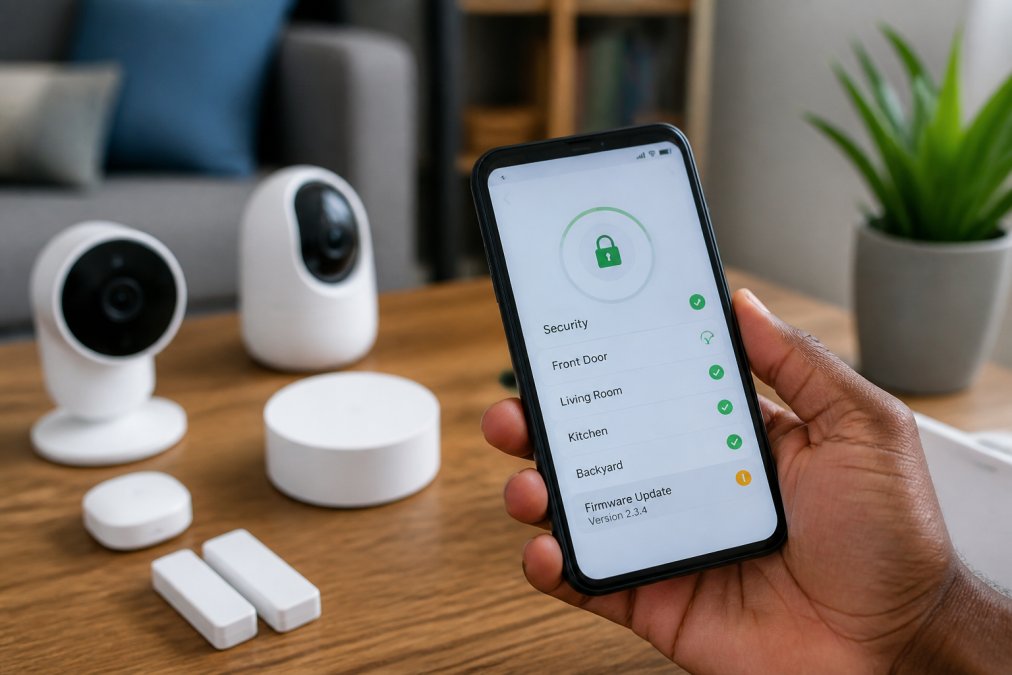
Smart home security requires attention at multiple layers. Devices connected to your network represent potential entry points for attackers.
Encryption and Local Data Storage
Encryption protects data in transit between your device and the cloud or between devices on your local network. When you buy high quality smart home devices, verify that communication uses industry-standard encryption protocols like TLS 1.2 or higher (nist.gov). Local data storage matters for privacy and security. Devices like the Aqara Camera Hub G5 Pro offer local storage options for video footage, ensuring your security recordings don’t depend on cloud infrastructure. Examine the manufacturer’s privacy policy before purchase to understand what data is collected and whether it’s shared with third parties.
Firmware Updates and Long-Term Maintenance
Firmware updates patch security vulnerabilities and introduce new features. Devices that receive regular updates remain secure; devices abandoned by manufacturers become increasingly vulnerable. Before you buy high quality smart home devices, research the manufacturer’s update history and commitment to long-term support. Set a calendar reminder to check for firmware updates quarterly, even for devices that claim automatic updates.
Abandoned devices are security liabilities. If a manufacturer stops supporting a product with security updates, that device becomes increasingly risky to keep connected to your network. Plan device replacement around the manufacturer’s support lifecycle.
Smart Home Compatibility Guide
Alexa, Google Home, and Apple HomeKit Ecosystems
Alexa dominates in device compatibility and third-party support. Google Home excels at natural language understanding and integrates tightly with Google services. Apple HomeKit prioritizes privacy and local control, with data staying on your device rather than flowing through Apple servers. Most quality devices support multiple ecosystems. When you buy high quality smart home devices, look for products that work with at least two of the three major platforms to ensure your investment remains useful if your preferences change.
Matter Protocol and Future-Proofing
Matter is the emerging standard designed to eliminate vendor lock-in and simplify multi-brand smart homes. Devices that support Matter communicate using a common protocol, reducing the need for separate hubs and bridges. Matter adoption is accelerating but still incomplete. When you buy high quality smart home devices in 2026, prioritize Matter support for devices that will anchor your ecosystem, hubs, thermostats, security cameras. These devices typically remain in place for 5-10 years, and Matter support ensures they’ll integrate smoothly with future devices.
Quick Comparison Table
| Device | Category | Best For | Key Strength | Ecosystem Support |
|---|---|---|---|---|
| Philips Hue White and Color Ambiance Starter Kit | Smart Lighting | Customizable lighting with color control | Millions of color options and scenes | Alexa, Google, HomeKit |
| Ecobee Smart Thermostat Premium | Climate Control | Energy-efficient heating and cooling | Learning algorithm and room sensors | Alexa, Google, HomeKit |
| Yale Assure Lock 2 | Smart Entry | Straightforward smart lock installation | Easy setup and keyless entry | Alexa, Google, HomeKit |
| Aqara Camera Hub G5 Pro | Security and Hub | Multi-protocol smart home foundation | Matter, Thread, and Zigbee support | Alexa, Google, HomeKit |
| Amazon Echo Show 11 | Voice Control Hub | Alexa ecosystem central command | Large display and comprehensive control | Alexa ecosystem |
| Arlo Video Doorbell (2nd Generation) | Video Doorbell | Flexible wired or wireless installation | Sharp 2K video and wide field of view | Alexa, Google, HomeKit |
| TP-Link Tapo P110M Mini Smart Wi-Fi Plug | Smart Plugs | Budget-friendly device automation | Energy monitoring at low cost | Alexa, Google |
How We Select Quality Smart Home Devices
Greenmatrax.com evaluates smart home devices across five core dimensions: reliability and build quality, ecosystem compatibility and interoperability, ease of installation and setup, security and privacy practices, and long-term manufacturer support. We prioritize devices that balance capability with accessibility, technology should simplify your life, not complicate it. We test devices in real homes across different network configurations to identify which products perform consistently. We examine manufacturer privacy policies and security practices to ensure devices don’t create vulnerabilities. Our recommendations reflect genuine value rather than marketing claims.
Selecting the right smart home devices requires understanding your ecosystem, prioritizing security, and matching device capability to your actual needs. When you buy high quality smart home devices, focus on ecosystem compatibility, manufacturer support, and security practices rather than chasing the newest features. Greenmatrax.com helps you navigate these decisions by curating quality options and explaining the tradeoffs that matter. Visit Greenmatrax.com to explore detailed reviews, compare devices across your specific use cases, and discover daily deals on the smart home devices that fit your home and budget.
Frequently Asked Questions
What are the most reliable smart home devices to buy in 2026?
The most reliable options combine strong ecosystem support with proven hardware quality. Philips Hue leads in smart lighting, Ecobee in thermostats, and Amazon Echo Show 11 in central hubs. Aqara Camera Hub G5 Pro stands out for supporting multiple protocols including Matter and Thread, future-proofing your setup. Choose devices that match your existing ecosystem (Alexa, Google Home, or HomeKit) to ensure seamless integration and long-term support.
Are budget smart home devices worth buying or should I invest more for quality?
Budget devices like the TP-Link Tapo P110M smart plug deliver solid value for basic automation and energy monitoring. However, core devices like locks and thermostats justify higher investment because they affect security and daily comfort. Mid-range options like the Yale Assure Lock 2 offer better reliability than the cheapest alternatives. Start with affordable plugs to test automation, then invest in quality hubs and locks.
How do I ensure my smart home devices are compatible with each other?
Check the wireless standard each device uses: Wi-Fi, Zigbee, Z-Wave, Thread, or Bluetooth. Most devices work through a central hub or voice assistant (Alexa, Google Home, HomeKit). Before buying, verify that devices support your chosen ecosystem. The Aqara Camera Hub G5 Pro is an excellent hub option because it supports Matter, Thread, and Zigbee protocols, ensuring compatibility with most new devices. Always confirm on the manufacturer's website that devices work together.
What should I look for when buying smart home gadgets for long-term reliability?
Prioritize devices from established brands with active firmware support. Check whether the manufacturer regularly releases security updates and how long they promise device support. Local encryption (data stored on-device rather than cloud) improves privacy and reliability. Review the warranty period and whether the company has a track record of supporting older devices.
Do I need a smart home hub, or can devices work independently?
Some devices like Wi-Fi plugs work independently through an app. However, a hub significantly improves reliability, speed, and automation capabilities. Hubs enable local control (devices respond instantly without relying on internet), support mesh networks for better coverage, and allow complex automation rules. The Aqara Camera Hub G5 Pro and Amazon Echo Show 11 both serve as central hubs. If you plan to add more than a few devices, a hub is a worthwhile investment.
This article was written using GrandRanker