Table of Contents
- Quick Comparison: Top Google Home Devices for 2026
- Google Nest Hub Max: The Central Command Center
- Google TV Streamer (4K): Entertainment Meets Smart Hub
- Google Nest Thermostat: Energy Efficiency Meets Convenience
- Aqara M3 Hub: Advanced Matter and Zigbee Control
- Hubitat Elevation C-8: Local Processing for Privacy Buffs
- Ring Video Doorbell Pro 2: Security Integration
- Matter Smart Home Standard 2026: What It Means for Google Home
- How to Set Up Google Home Devices: Step-by-Step
- Frequently Asked Questions
Last Updated: September 16, 2026
Quick Comparison: Top Google Home Devices for 2026
The best smart home devices compatible with Google Home 2026 balance Matter support, local processing, and ecosystem depth. Google’s 2026 lineup pushes Gemini AI deeper into the assistant, and Matter 1.4 has made cross-brand pairing less painful. Below, we break down eight devices worth your money, plus what Matter means for your setup.
| Device | Starting Price | Best For | Standout Feature |
|---|---|---|---|
| Nest Hub Max | $229 | Central control | 10-inch display, Nest Cam |
| Google TV Streamer (4K) | $99 | Entertainment + hub | Thread border router |
| Nest Thermostat | $129 | Energy savings | Eco-mode scheduling |
| Aqara M3 Hub | $129 | Matter/Zigbee networks | Local automation |
| Hubitat Elevation C-8 | $149 | Privacy-focused users | Local execution |
| Ring Video Doorbell Pro 2 | $249 | Home security | 1536p Head-to-Toe view |
Google Nest Hub Max: The Central Command Center
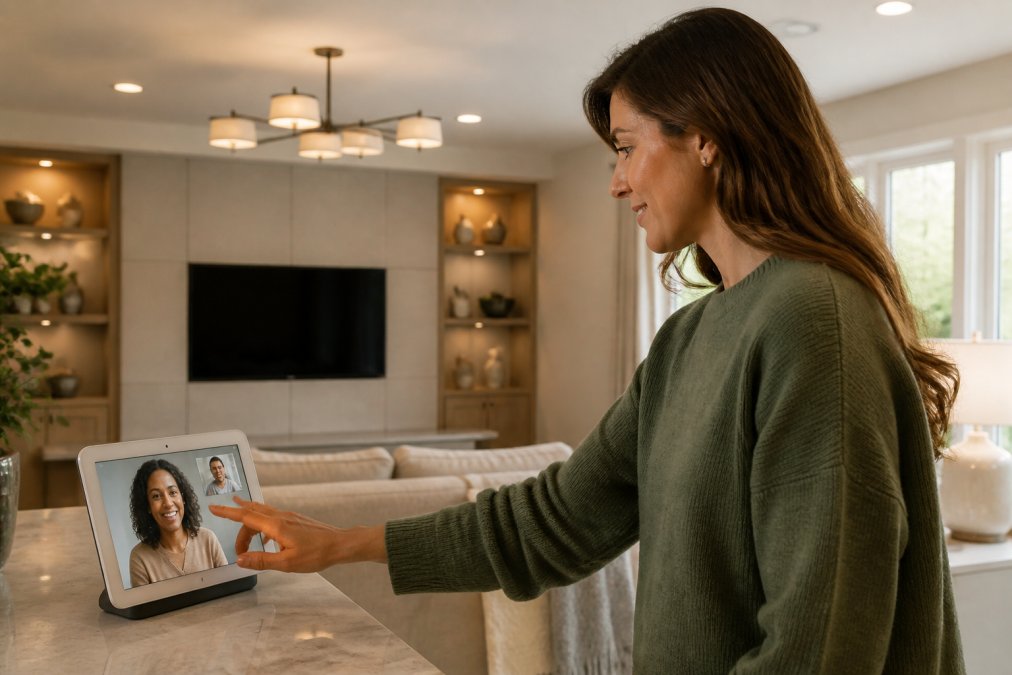
The Nest Hub Max remains the most complete smart display for Google Home users, with a 10-inch HD touchscreen for video calls, security feeds, and device control. Its built-in Nest Cam doubles as a home monitor, so you get camera coverage without separate hardware. Gemini-powered Assistant responses feel faster than the 2024 model, and Matter support lets it control third-party bulbs and locks.
Google TV Streamer (4K): Entertainment Meets Smart Hub
Google TV Streamer is the sleeper pick of 2026. It streams in 4K HDR with Dolby Vision and Atmos, but the real story is the built-in Matter and Thread border router. Thread creates a low-latency mesh network for smart sensors, locks, and lights, reducing Wi-Fi congestion, and the Google Home panel on your TV lets you check cameras and adjust lights without reaching for your phone.
Google Nest Thermostat: Energy Efficiency Meets Convenience
Climate control is where most smart homes save real money. The $129 Nest Thermostat learns your schedule and adjusts automatically, with eco-modes that cut heating and cooling when you are away. Compatible with standard HVAC systems, it installs in under an hour for most users, and the Google Home app gives you remote access so you can pre-cool the house before you get home.
Aqara M3 Hub: Advanced Matter and Zigbee Control
Complex device networks need a proper hub, and the Aqara M3 delivers. It acts as both a Matter controller and a Thread border router while supporting Zigbee 3.0 devices, which matters if you own older sensors that predate Matter. Local automation processing is the headline feature: routines run on the hub itself, so they execute even when your internet drops.
Hubitat Elevation C-8: Local Processing for Privacy Buffs
Privacy-focused buyers should start here. The Hubitat Elevation C-8 runs automations locally, storing data on the device rather than in the cloud. Google Assistant integration works through a cloud link, but your core routines never leave the house. It supports Zigbee, Z-Wave, and Matter, the broadest protocol coverage in this list, and response times feel instant because there is no round trip to a server.
If you are migrating from a cloud-based hub, export your device list and automation rules first. Hubitat’s community drivers cover most popular sensors, but a few obscure models need manual setup.
Ring Video Doorbell Pro 2: Security Integration
Security coverage rounds out any smart home, and the Ring Video Doorbell Pro 2 pairs cleanly with Google Home. Its 1536p HD video with Head-to-Toe view captures full-body footage, so you see packages on the porch and faces at the door. 3D Motion Detection uses radar to map movement, reducing false alerts from passing cars and swaying trees, while two-way talk with noise cancellation keeps conversations with delivery drivers clear.
Matter Smart Home Standard 2026: What It Means for Google Home
Matter is the interoperability standard that lets smart home devices from different brands talk to each other through a shared application layer, regardless of whether the underlying radio is Wi-Fi, Thread, or Ethernet. In 2026, Matter 1.4 has expanded device support and improved multi-admin control, meaning a single device can be commissioned into Google Home, Apple Home, and Amazon Alexa at once.
What Matter 1.4 actually added
The 1.4 release is less about new device types and more about making existing ones behave. The changes that matter most:
- Enhanced multi-admin: A device can belong to multiple ecosystems at once, so a Matter lock can appear in Google Home and Apple Home without re-pairing.
- Improved Thread border router management: Google Nest Hubs, the Google TV Streamer, and Nest Wifi Pro can all serve as Thread border routers, and 1.4 tightens how they hand off devices.
- Expanded device categories: Matter now covers appliances, robotic vacuums, and select energy-management devices, not just bulbs, plugs, and sensors.
- Fabric sync improvements: When you add a device to Google Home, the app can offer to share it with other Matter controllers on your network, cutting the multi-app dance.
The gaps that still bite
Matter is not a universal translator. Three limitations show up repeatedly:
- Older Zigbee and Z-Wave devices need a bridge. A pre-Matter Zigbee sensor cannot join a Matter fabric directly. It must route through a hub like the Aqara M3 or Hubitat Elevation C-8, which exposes it to Google Home as a Matter device.
- Firmware updates vary by manufacturer. A device can be Matter-certified and still ship with firmware that lags the spec. Check the manufacturer’s update cadence before buying.
- Feature parity is uneven. A Matter-certified camera may expose motion events to Google Home but not its video stream, because video over Matter is still maturing. Confirm the specific capability you need, not just the logo.
How to check before you buy
The Connectivity Standards Alliance maintains the official certified product database, and it is the fastest way to confirm a device’s actual Matter support level. Checking the Connectivity Standards Alliance Matter specification before buying saves headaches later. Look for the device category and the firmware version listed, not just the certification badge.
Not every “works with Google Home” label means native Matter support. Some devices connect through cloud integrations that break when your internet drops. Check for the Matter logo if local control matters to you.
If you already own a Nest Hub (2nd gen) or Nest Wifi Pro, you likely have a Thread border router in the house already. That means Matter-over-Thread devices can join your network without buying a separate hub.
How to Set Up Google Home Devices: Step-by-Step
Setting up Google Home devices takes about 15 minutes per device once your network is ready, but the failures people hit are almost always the same handful of causes.
Before you start
- Confirm your phone is on the same Wi-Fi network the device will use. Guest networks and VPNs block discovery.
- Have your Wi-Fi password handy. Most smart devices only support 2.4GHz, and some routers hide that band behind a combined SSID.
- For Matter-over-Thread devices, confirm you have a Thread border router (Nest Hub 2nd gen, Nest Wifi Pro, or Google TV Streamer).
- Update the Google Home app. Older builds miss Matter commissioning options.
The setup sequence
- Open the Google Home app and sign in with your Google account.
- Tap the plus icon and select “Set up device.”
- Choose “New device” and let the app scan for nearby hardware. If nothing appears, choose the device type manually.
- Scan the Matter QR code on the device or packaging. For non-Matter devices, follow the manufacturer’s pairing prompt.
- Assign the device to a room and give it a clear name.
- Test a voice command and, if supported, create a routine.
- For Matter devices, the app will offer to share the device with other ecosystems. Accept if you want it in Apple Home or Alexa too.
Name devices by room and function (“Kitchen Lights” not “Lamp 2”) so voice commands work the first time. Ambiguous names cause most failed commands.
When a device will not pair
1. Check the band. Most smart devices are 2.4GHz-only. If your router uses one combined SSID, temporarily split the bands or move your phone to 2.4GHz during setup.
When a device disconnects later
A device that worked for weeks and then dropped is usually one of four things:
- Wi-Fi congestion. Too many devices on one access point. Moving the device to a different band or adding a mesh node fixes it.
- Thread border router offline. If your Nest Hub lost power or rebooted, Thread devices can drop until it returns.
- Firmware update. Some updates briefly break the Google Home link; re-adding the device usually resolves it.
- Cloud integration expired. Non-Matter devices linked through a vendor cloud drop if the token expires. Re-linking the account restores it.
If you are migrating from a cloud-based hub, export your device list and automation rules first. Hubitat’s community drivers cover most popular sensors, but a few obscure models need manual setup.
Frequently Asked Questions
How do I know if a smart device is compatible with Google Home?
Look for the ‘Works with Google Home’ badge or check the product’s specifications for Google Assistant integration. Most devices using Wi-Fi, Bluetooth, or Matter will work. For specific compatibility, check the Google Home app’s device list or the manufacturer’s website. Devices that support Matter are guaranteed to work with Google Home, as the standard ensures interoperability across ecosystems.
What is the role of Matter in Google Home compatibility for 2026?
Matter is a unified smart home standard that lets devices from different brands work together seamlessly. In 2026, Google Home fully supports Matter, meaning any Matter-certified device will connect without brand-specific hubs. This simplifies setup and reduces compatibility headaches. Look for the Matter logo when buying new devices to ensure future-proof integration with Google Home and other ecosystems.
Can I use Gemini AI features with my existing Google Home devices?
Yes, many existing Google Home devices received Gemini AI upgrades via firmware updates in 2025 and 2026. Devices like the Nest Hub Max and Google TV Streamer now support more natural voice commands and proactive suggestions. Check the Google Home app for available features, as some older devices may not support all AI capabilities. The rollout continues through 2026.
What are the best budget-friendly smart home devices for 2026?
The Nest Mini is a top budget pick for voice control. For smart plugs and lights, brands like TP-Link and Wyze offer options under $50 that work with Google Home. When shopping, prioritize Matter-certified devices for guaranteed compatibility. Greenmatrax.com curates daily deals on these gadgets, helping you find reliable budget options without extensive research.
How do I set up new smart devices in the Google Home app?
Open the Google Home app, tap the ‘+’ icon, and select ‘Set up device.’ Choose ‘New device’ and follow the prompts to connect your device to Wi-Fi. For Matter devices, scan the QR code on the device or packaging. The app will guide you through naming the device and assigning it to a room. Most setups take under five minutes.
Building a smart home that actually works together takes more than buying the right devices. Compatibility gaps, subscription costs, and setup headaches trip up even experienced buyers. Greenmatrax.com curates reviewed, high-quality gadgets and aggregates daily deals so you find reliable products without wasting hours across multiple websites. Browse the platform to compare genuine value, skip the guesswork, and build a Google Home setup that earns its place in your house.