Table of Contents
- The Best Smart Home Gadgets Under $50 at a Glance
- Smart Plugs and Power Management: Top Picks
- Smart Lighting Under $50: LED Strips and Desk Lamps
- Voice-Controlled Smart Speakers and Streaming
- Smart Home Devices Compatible with Alexa: What to Know Before You Buy
- How to Set Up a Smart Home on a Budget: Privacy, Interoperability, and Long-Term Value
- Which Smart Home Gadget Under $50 Should You Buy?
- Conclusion
Last Updated: August 16, 2026
The Best Smart Home Gadgets Under $50 at a Glance
Smart home gadgets have dropped dramatically in price, and the sub-$50 category is now genuinely impressive. At Greenmatrax.com, we’ve tested and curated these picks to save you from wading through hundreds of listings. You can build a functional, voice-controlled smart home setup for well under $200 total.
A smart plug transforms any appliance into a remotely controlled device for around $13. A smart LED strip adds voice-controlled ambiance for $30. A smart speaker ties everything together for under $50.
Quick Picks:
- Best smart plug overall: TP-Link Kasa Smart Plug Mini (KP105) – compact, reliable, no hub required
- Best for Alexa users: Amazon Smart Plug – simplest setup if you own Echo devices
- Best value 2-pack: Geeni Smart Plug Mini 2-Pack – two plugs for under $20
- Best smart lighting: Govee RGBIC Pro LED Strip Lights – segmented color control for $29.99
- Best smart speaker under $50: Google Nest Mini (2nd Gen) – strong sound, full Google Assistant integration
- Best streaming upgrade: Roku Express (2022) – turns any TV into a smart TV for under $30
Before you buy, two questions matter most: which voice assistant ecosystem do you use (Alexa or Google Assistant), and does the device support the Matter smart home interoperability standard?
| Gadget | Price | Best For | Voice Assistant |
|---|---|---|---|
| TP-Link Kasa Smart Plug Mini KP105 | $12.99 single | Automating appliances | Alexa, Google |
| Amazon Smart Plug | $24.99 | Alexa-first households | Alexa only |
| Geeni Smart Plug Mini 2-Pack | $19.99 | Multi-device value | Alexa, Google |
| Geeni Current Smart Wi-Fi Outlet | $26.99 | Outlet upgrade + USB charging | Alexa, Google |
| Govee RGBIC Pro LED Strip Lights | $29.99 | Ambient lighting | Alexa, Google |
| Xiaomi Mi Smart LED Desk Lamp 1S | ~$40-50 | Desk work, reading | Alexa, Google |
| Google Nest Mini (2nd Gen) | $49.00 | Voice control hub | Google Assistant |
| Roku Express (2022) | $19.99-$29.99 | Streaming on any TV | None (no voice remote) |
Smart Plugs and Power Management: Top Picks
Smart plugs are the single best entry point into a smart home ecosystem. A compact Wi-Fi enabled plug costs under $15, requires zero wiring, and instantly adds remote access, scheduling, and voice command capability to any appliance. Setup takes about two minutes: plug it in, download the app, connect to your 2.4GHz Wi-Fi network, and you’re done.
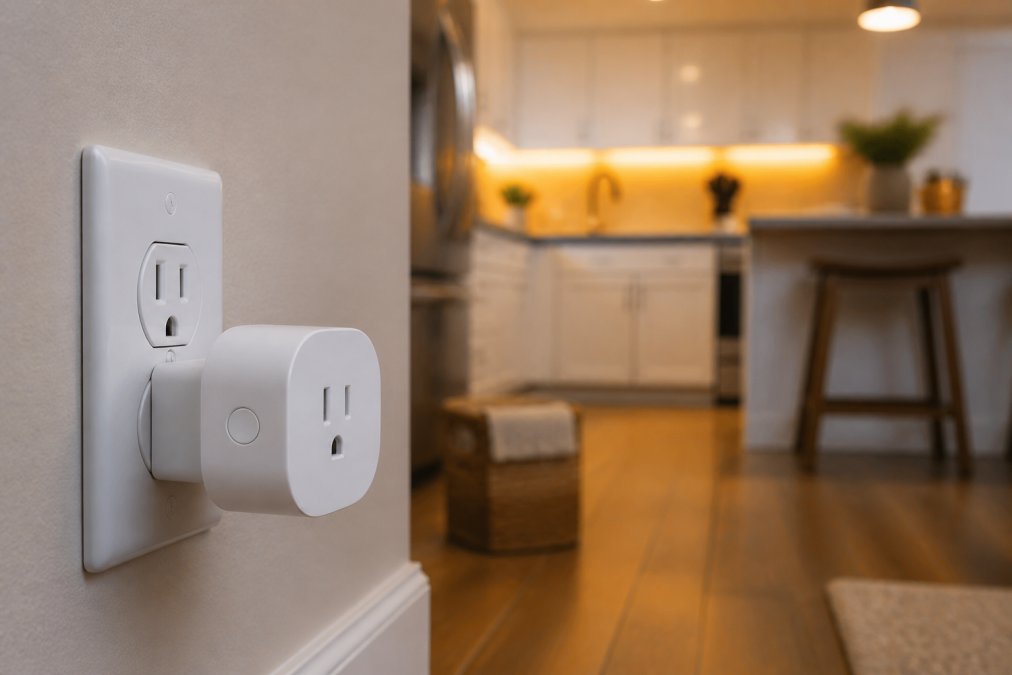
TP-Link Kasa Smart Plug Mini (KP105)
The KP105 is the most consistently recommended smart plug in this price range. Its compact design leaves the adjacent outlet free, a critical detail when bulkier plugs block half your power strip. Setup runs through the Kasa Smart app, and integration with both Amazon Alexa and Google Assistant works reliably without a hub.
Best for: Automating lamps, fans, coffee makers, and small appliances.
Pros:
- Compact form factor, doesn’t block adjacent outlets
- No hub required, plug-and-play setup
- Reliable connectivity with stable Wi-Fi performance
- Supports schedules, timers, and customizable routines
Cons:
- No energy monitoring features
- Requires a Kasa account for voice assistant integration
Amazon Smart Plug
The Amazon Smart Plug exists for one specific buyer: someone already deep in the Alexa ecosystem who wants the simplest possible setup. Pair it with any Echo device and it configures almost automatically. Scheduling and timers run through the Alexa app alongside every other smart home device you manage there.
Best for: Alexa-first households wanting zero-friction device integration.
Pros:
- Extremely fast setup with existing Echo devices
- Reliable performance within the Alexa ecosystem
- Adds voice control to any non-smart device instantly
Cons:
- Only works with Alexa, no Google Assistant or Apple HomeKit support
- No energy monitoring
- Locks you deeper into the Amazon ecosystem
Geeni Smart Plug Mini 2-Pack and Current Smart Wi-Fi Outlet
The Geeni Smart Plug Mini 2-Pack at $19.99 is the best pure value in this category. Two plugs for under $20, both compatible with Alexa and Google Assistant, both requiring only a 2.4GHz Wi-Fi network. The 15A capacity handles most household appliances.
The Geeni Current Smart Wi-Fi Outlet ($26.99) replaces a standard wall outlet rather than plugging into one, and adds two fast-charge USB ports (USB-C Power Delivery and Quick Charge USB-A) alongside the smart-controlled AC outlet. Installation requires turning off the circuit breaker and wiring it in, which takes about 15 minutes if you’re comfortable with basic electrical work.
The Geeni Current outlet requires replacing an existing wall outlet. If you’re not comfortable working with household wiring, hire an electrician. Incorrect installation creates a fire hazard.
Smart Lighting Under $50: LED Strips and Desk Lamps
Smart lighting is where budget gadgets genuinely punch above their weight. For $30, you get millions of color options, music sync modes, and app-based control that would have cost hundreds just a few years ago.
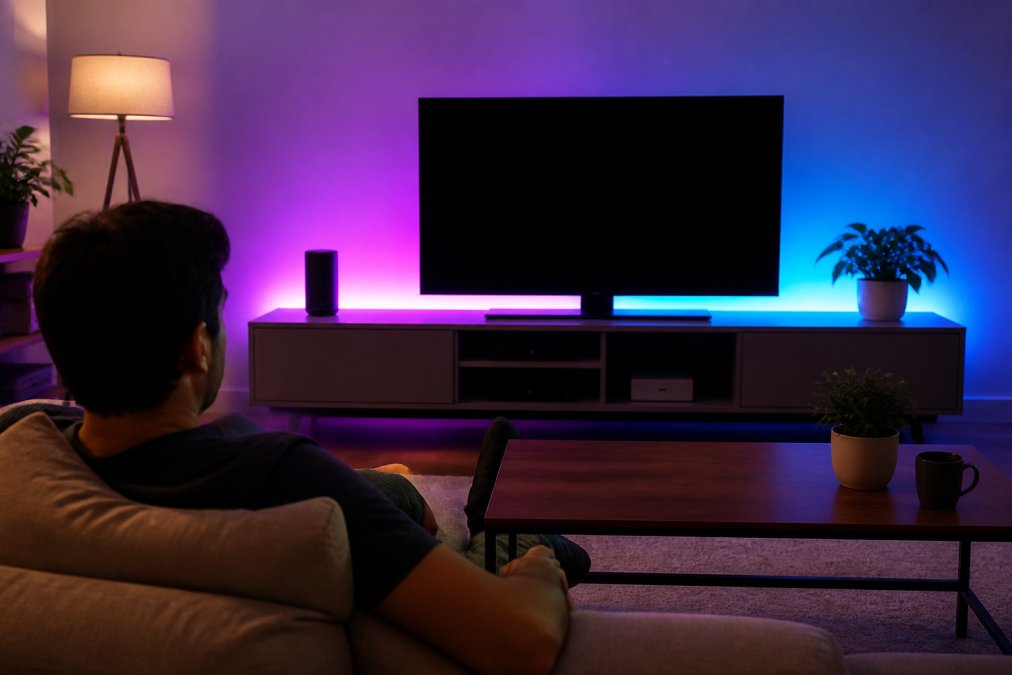
Govee RGBIC Pro LED Strip Lights
At $29.99 for a 9.8-foot strip, the Govee RGBIC Pro is the most popular smart lighting pick under $50. RGBIC technology displays multiple colors simultaneously in separate segments, producing gradient and flowing effects. Standard RGB strips display one color at a time across the entire strip.
Control runs through the Govee Home app, which offers over 16 million colors, preset scenes, and a music sync mode that responds to audio in real time. Voice commands work through Alexa and Google Assistant.
Best for: Accent lighting behind TVs, under cabinets, along shelving, or in entertainment areas.
Pros:
- Segmented color control produces impressive lighting effects
- Extensive app features with scene library and music sync
- Easy to install, flexible strip adheres to most surfaces
Cons:
- Adhesive backing may not hold on textured or rough surfaces
- Some advanced scene features require higher-end Govee models
Use 3M Command strips as a backup adhesive on painted drywall. The Govee adhesive works well on smooth surfaces but can peel from textured walls over time.
Xiaomi Mi Smart LED Desk Lamp 1S
The Mi Smart LED Desk Lamp 1S offers adjustable brightness and color temperature up to 6500K, covering the full range from warm evening light to cool daylight-equivalent tones for focused work. Four preset modes (Focus, Read, PC, Child) handle the most common lighting scenarios without manual adjustment.
The flicker-free technology matters for eye strain during extended work sessions. The lamp eliminates imperceptible flickering that standard LEDs produce, making it practical for remote workers or students.
Best for: Students, remote workers, anyone needing versatile task lighting with smart controls.
Pros:
- Eye-friendly flicker-free lighting
- Four task-specific modes reduce manual adjustment
- Sleek minimalist design, works with Alexa and Google Assistant
Cons:
- Availability can be inconsistent through US retailers
- May require regional server configuration in the Mi Home app
Voice-Controlled Smart Speakers and Streaming
Google Nest Mini (2nd Gen)
The Google Nest Mini is the most capable voice assistant hub under $50. At $49.00, it sits right at the budget ceiling, but earns its place as the central controller for a Google Assistant ecosystem. Google Assistant handles general queries, music playback, smart home device control, and calendar management better than most sub-$100 alternatives.
Sound quality is noticeably improved over the first generation, with deeper bass that makes it usable for casual music listening. The fabric body is made from recycled plastic bottles.
Best for: Anyone building a Google Assistant-compatible smart home setup who needs a voice command hub.
Pros:
- Seamless integration with Google services and Google Home app
- Acts as a central hub for all Google Assistant smart home devices
- Good sound quality relative to its size
Cons:
- No display for visual feedback on timers, weather, or video
- Requires a Google account for full functionality
Roku Express (2022)
The Roku Express solves a real problem cheaply. Any television without built-in streaming capability becomes a fully functional smart TV for $19.99 to $29.99. Setup takes under five minutes, and access to thousands of free and paid streaming channels is immediate.
Best for: Upgrading older TVs or adding a secondary streaming option to any display with an HDMI port.
Pros:
- Very affordable entry point for smart TV functionality
- User-friendly interface, easy guided setup
- Wide content library including free ad-supported channels
Cons:
- Does not support 4K streaming (1080p maximum)
- The standard remote lacks voice control capability
Smart Home Devices Compatible with Alexa: What to Know Before You Buy
Alexa compatibility is the most commonly searched filter when buying smart home gadgets, and every product on this list (except the Roku Express and Nest Mini) works with Alexa. But compatibility is not the same as deep integration.
Basic Alexa compatibility means the device responds to on/off voice commands and can be grouped with other devices in the Alexa app. Every smart plug and smart light on this list meets this standard.
Full Alexa integration means the device appears natively in the Alexa app, supports routines, responds to conditional commands, and receives firmware updates that maintain compatibility as Alexa evolves.
According to Amazon’s Alexa developer documentation, devices that use the official Alexa Smart Home Skill API receive more consistent support than those relying on third-party bridges.
A common mistake: buying a device because it says "Works with Alexa" on the box, then discovering it only supports basic on/off commands. Check the product’s Alexa skill page before purchasing to confirm which command types are supported.
For the most reliable Alexa experience, prioritize devices that use the official Alexa Smart Home Skill API over those that rely on third-party cloud bridges. The Amazon Smart Plug and TP-Link Kasa plugs both use direct integration.
How to Set Up a Smart Home on a Budget: Privacy, Interoperability, and Long-Term Value
Setting up a smart home on a budget is straightforward. The harder questions are whether your devices will still work in three years and whether they’re quietly sending data to servers you’ve never heard of.
Check for Matter and Thread Support
Matter is the smart home interoperability standard developed by the Connectivity Standards Alliance, designed to allow devices from different manufacturers to work together natively without cloud bridges. Thread is the low-latency mesh networking protocol that Matter devices use for direct device-to-device communication.
Neither standard is yet common in the sub-$50 price range. Most devices on this list use standard Wi-Fi connectivity rather than Thread, and none currently advertise full Matter certification. As noted in the Connectivity Standards Alliance’s Matter specification overview, Matter-certified devices are designed to remain functional even if a manufacturer’s cloud service shuts down, which is a meaningful long-term reliability advantage.
If you’re building a smart home setup you expect to use for five or more years, prioritize devices from manufacturers with a clear roadmap toward Matter support. TP-Link Kasa and Google have both committed publicly to Matter integration in their product lines.
Privacy and Data Security for Budget Devices
Every Wi-Fi enabled smart plug, smart bulb, and smart speaker on this list connects to a manufacturer’s cloud server. Your usage data, scheduling patterns, and device activity are transmitted to and stored on those servers.
The FTC’s guidance on IoT device security recommends that consumers check whether devices receive regular firmware updates, whether the manufacturer publishes a clear privacy policy, and whether data collection can be limited through app settings.
Practical steps to reduce exposure:
- Place smart home devices on a dedicated guest Wi-Fi network, isolated from computers and phones containing sensitive data
- Review app permissions before installation and deny location access unless the feature requires it
- Check whether the device continues to function locally if the manufacturer’s cloud service goes offline
- Prefer devices from manufacturers with a track record of issuing firmware updates
The Amazon Smart Plug and Google Nest Mini have the strongest long-term software support commitments in this list, backed by two of the largest cloud infrastructure operations in the world.
Energy Monitoring and ROI: Does Saving Power Cover the Cost?
Most smart plugs under $50 do not include energy monitoring, making ROI calculation harder than it should be. Smart scheduling makes the most financial difference on devices that draw significant standby power: space heaters, window air conditioners, older televisions, and desktop computers left in sleep mode.
A smart plug that prevents a space heater from running overnight can realistically recover its $13 purchase price within the first month of use. According to the U.S. Department of Energy’s guidance on home energy management, standby power consumption accounts for roughly 5 to 10 percent of residential electricity use, making automated scheduling one of the highest-return smart home investments available.
Which Smart Home Gadget Under $50 Should You Buy?
The right pick depends entirely on where you’re starting from and what problem you’re trying to solve.
Start with smart plugs if: You have no smart home devices yet. Two Geeni Mini plugs at $19.99 or one Kasa KP105 at $12.99 give you immediate remote access and scheduling for any appliance. This is the highest-ROI starting point.
Add smart lighting if: You want visible impact without any wiring. The Govee RGBIC Pro strip at $29.99 transforms a room immediately and integrates with whatever voice assistant you already use.
Buy the Google Nest Mini if: You want a central voice command hub for a Google Assistant ecosystem. At $49, it’s the most capable voice-controlled smart speaker in this price range.
Get the Roku Express if: You have a television without streaming capability. At under $30, it’s the most cost-effective smart home upgrade in terms of daily-use impact.
Choose the Geeni Current outlet if: You want to modernize a wall outlet with smart control and fast-charge USB ports. The installation takes 15 minutes and the result is cleaner than any plug-in solution.
Greenmatrax.com curates exactly this kind of decision-making context alongside the products themselves. Rather than browsing through hundreds of listings, you get carefully reviewed picks with honest trade-offs, updated regularly so you’re not acting on stale information.
| Gadget | Price | Installation | Energy Monitoring | Matter Support |
|---|---|---|---|---|
| TP-Link Kasa KP105 | $12.99 | Plug-and-play | No | Roadmap only |
| Amazon Smart Plug | $24.99 | Plug-and-play | No | Not confirmed |
| Geeni Mini 2-Pack | $19.99 | Plug-and-play | No | Not confirmed |
| Geeni Current Outlet | $26.99 | Wiring required | No | Not confirmed |
| Govee RGBIC Pro Strip | $29.99 | Adhesive install | No | No |
| Xiaomi Mi Desk Lamp 1S | ~$40-50 | Plug-and-play | No | No |
| Google Nest Mini 2nd Gen | $49.00 | Plug-and-play | N/A | Committed |
| Roku Express 2022 | $19.99-29.99 | HDMI plug-in | No | N/A |
Frequently Asked Questions
Are cheap smart home gadgets reliable?
Budget smart home gadgets from established brands like TP-Link Kasa, Govee, and Geeni are generally reliable for everyday tasks like scheduling, remote control, and voice commands. The main risks are inconsistent firmware updates and shorter software support windows compared to premium brands. Stick to devices with active app ecosystems and strong user review histories, and check whether the manufacturer has a track record of pushing updates after purchase.
What is the most useful smart home device for beginners?
A smart plug is the easiest entry point. Devices like the TP-Link Kasa Smart Plug Mini require no electrical work, no hub, and no technical knowledge. Plug it in, connect it to your 2.4GHz Wi-Fi, and you can control any lamp or appliance remotely or by voice. Once you're comfortable with scheduling and automation through the app, adding smart lighting or a voice speaker becomes a natural next step.
Do I need a hub for budget-friendly smart home devices?
Most smart home gadgets under $50 are hub-free and connect directly over Wi-Fi. The TP-Link Kasa Mini, Amazon Smart Plug, and Geeni plugs all work without a separate hub. However, if you plan to build a larger smart home setup, a hub or smart speaker acting as a controller can simplify managing many devices. For a starter setup of two to five devices, a hub is not necessary.
What smart home gadgets are compatible with Alexa and Google Home?
Most of the top picks under $50 support both Alexa and Google Assistant. The TP-Link Kasa Smart Plug Mini, Geeni Smart Plug Mini, Govee RGBIC LED Strip Lights, and Xiaomi Mi Smart LED Desk Lamp 1S all work with both voice assistants. The Amazon Smart Plug is the main exception, it only works with Alexa. Always verify compatibility on the product listing before purchasing if you use Google Home as your primary smart home ecosystem.
Can you build a smart home system on a budget under $50?
Yes, a functional smart home setup is achievable for under $50 total if you prioritize. A Geeni Smart Plug Mini 2-Pack at $19.99 lets you automate two devices immediately. Add Govee LED strip lights at $29.99 for ambient lighting with app and voice control. That covers scheduling, remote access, and customizable routines without buying a hub or spending more. Expand gradually as your budget allows rather than buying everything at once.
Finding reliable smart home gadgets at this price point requires sorting through a lot of noise. Greenmatrax.com aggregates carefully reviewed picks across the smart home gadgets category, so you’re not spending an hour comparing spec sheets across five different storefronts to save $3. Browse the current deals on smart home devices, compare the picks that match your ecosystem, and get the setup you actually want without the research overhead.
This article was written using GrandRanker