Table of Contents
- How to Compare Smart Device Features: Start With Your Ecosystem
- Smart Home Device Compatibility Guide: Protocols and Standards
- Smart Device Security Checklist: Privacy and Authentication
- How to Choose Smart Home Hubs: The Central Command
- Compare Smart Device Features: Step-by-Step Evaluation Process
- Energy Monitoring and Automation Capabilities
- Common Mistakes to Avoid When Comparing Smart Devices
- Conclusion
Last Updated: August 26, 2026
How to Compare Smart Device Features: Start With Your Ecosystem
The first mistake most people make when shopping for smart devices is treating each purchase in isolation, resulting in incompatible gadgets controlled by multiple apps. Your ecosystem, whether Amazon Alexa, Google Home, Apple HomeKit, or Matter, is the hub or platform that controls everything and determines which devices you can buy and how they communicate.
At Greenmatrax.com, we help shoppers navigate this decision. The most successful smart home builders always start here: pick your ecosystem first, then compare devices within that ecosystem. This prevents costly mistakes down the road because your ecosystem choice affects which protocols your devices use, what security standards they follow, and what automation capabilities you unlock.
Start with the ecosystem, not the device. Ask yourself: Do I already own smart home devices? If yes, what platform controls them? If no, which platform makes sense for my household? Answer this question first, and the rest of the comparison process becomes straightforward.
Smart Home Device Compatibility Guide: Protocols and Standards
Compatibility is the foundation of a working smart home. A protocol is the language devices use to talk to each other. The main protocols are Wi-Fi, Zigbee, Z-Wave, and the newer Matter standard.
Wi-Fi, Zigbee, Z-Wave, and Matter: What They Mean for Your Setup
Wi-Fi is the most common protocol because it’s already in every home. Devices connect directly to your router without needing a special hub. The disadvantage is that Wi-Fi devices consume more power and can create network congestion with dozens of devices. Wi-Fi works best for devices that stay plugged in, like smart displays or cameras.
Zigbee is a lower-power mesh protocol where devices relay signals to extend range. Zigbee uses less power than Wi-Fi, so battery-powered devices like door sensors can run for months. The trade-off is that Zigbee requires a hub to translate between Zigbee and your home network.
Z-Wave serves the same purpose as Zigbee with better range and fewer compatibility headaches, though fewer device options overall. Both require a hub and are direct competitors.
Matter is the new open-source protocol backed by Amazon, Google, Apple, and hundreds of manufacturers. A Matter-certified device works with any Matter-compatible hub, regardless of brand. Matter devices can use Wi-Fi or Thread as their transport layer. Matter is still relatively new, but it’s the future of smart home interoperability, and any new device you buy should support it.
When comparing smart device features, check which protocol each device uses. If building a new smart home, prioritize Matter-compatible devices. If expanding an existing setup, match the protocol your current devices use.
Testing Interoperability Before You Buy
Interoperability is whether a device actually works with your hub in practice, not just in theory. Before buying any device, check the device’s official compatibility list on the manufacturer’s website or use a compatibility checker tool like GearBrain’s Smart Home Compatibility Checker or TekDash’s compatibility tool.
Never assume compatibility based on protocol alone. A Zigbee device isn’t guaranteed to work with your Zigbee hub just because they share the protocol. Always verify using the manufacturer’s compatibility list or a dedicated compatibility checker.
Smart Device Security Checklist: Privacy and Authentication
Security and privacy are where many smart home comparisons fall short. A secure smart device protects your data, prevents unauthorized access, and limits what the manufacturer can do with your information.
Encryption, Two-Factor Authentication, and Firmware Updates
Encryption protects data in transit using industry-standard protocols like AES-256 or TLS 1.2. If a device doesn’t mention encryption, that’s a red flag.
Two-factor authentication adds an extra layer of protection by requiring a code from your phone or email in addition to your password. Check whether your hub supports two-factor authentication and enable it immediately.
Firmware updates are security patches that fix vulnerabilities. Check how long the manufacturer supports each device with updates. A device with a 5-year support window is better than one with a 2-year window. Automatic updates are more convenient; manual updates give you control.
Local Control vs. Cloud-Based Data Storage
Local control means your commands never leave your home. The hub sends commands directly to devices, which is more private, reliable if your internet goes down, and has lower latency.
Cloud-based control means commands go to the manufacturer’s servers first, enabling remote access and voice assistant integration. The trade-off is that your usage data passes through the manufacturer’s servers.
The best approach is hybrid: local control for routine operations, cloud access for remote features. When comparing devices, ask: Does this device support local control? If you lose internet, will it still work?
Prioritize devices that support local control. Local control is faster, more private, and more reliable. Cloud features are nice to have, but local control should be the foundation.
How to Choose Smart Home Hubs: The Central Command
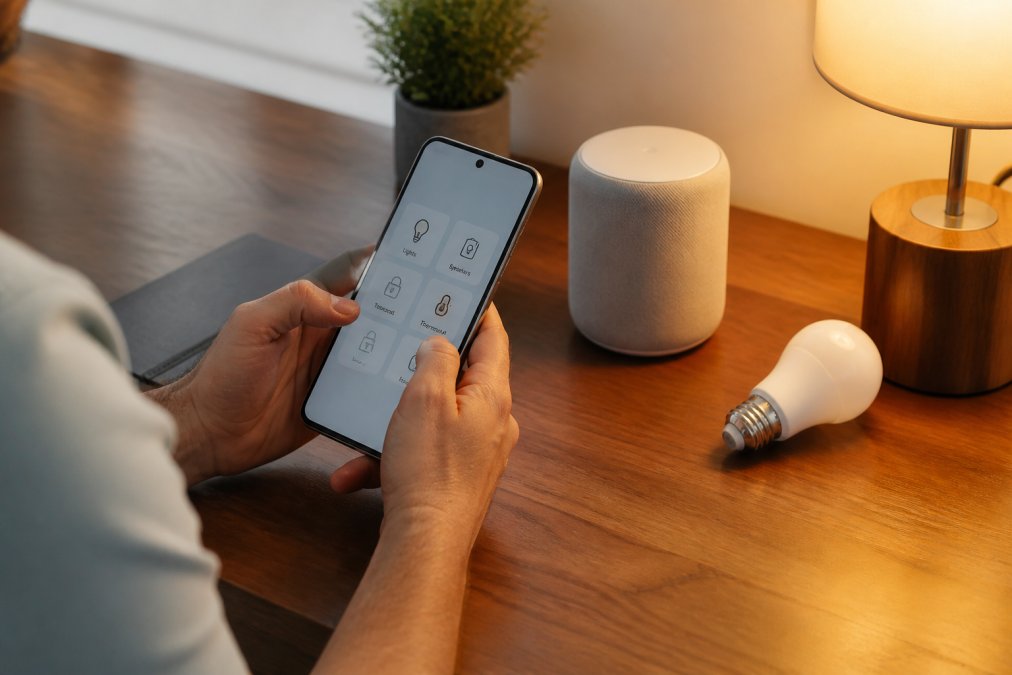
Your hub is the brain of your smart home. It connects all your other devices, manages automation, and provides the interface you use to control everything. Choosing the right hub is arguably the most important decision in smart home building.
Hub Types: Voice-Activated, Display-Based, and Headless Hubs
Voice-activated hubs like Amazon Echo Dot and Google Home Mini include a voice assistant for intuitive control. The disadvantage is limited processing power and heavy reliance on cloud services. They work well for basic control but struggle with complex automation.
Display-based hubs like Amazon Echo Show and Google Nest Hub add a screen for visual control and camera feeds. They’re more versatile than voice-only hubs but more expensive and power-hungry.
Headless hubs like Home Assistant Green and Homey Pro have no voice assistant or display. You control them through a mobile app or web interface. Headless hubs are more powerful for complex automation and offer better privacy because they don’t record audio. The trade-off is more technical setup.
Matching Your Hub to Device Count and Automation Needs
If you have fewer than 10 devices and want simple control, a voice-activated hub is sufficient and affordable.
If you have 10-30 devices and want moderate automation, a display-based hub provides more processing power and a visual interface.
If you have 30+ devices or want advanced automation with complex conditional logic and local-only control, a headless hub is necessary.
Compare Smart Device Features: Step-by-Step Evaluation Process

Step 1: Verify Compatibility With Your Hub and Existing Devices
Before looking at any other feature, confirm the device is compatible with your hub and protocol. Check the device’s official compatibility list or use a compatibility checker tool. Write down the protocol and cross-reference it with your hub’s supported protocols.
Step 2: Check Hardware Specifications and Sensor Accuracy
Hardware specifications determine how well a device performs its function. For a smart thermostat, check temperature sensor accuracy and control range. For a smart lock, check keypad entry support and battery lifespan. For a motion sensor, check detection range.
Sensor accuracy is critical. Look for devices that specify sensor accuracy in their documentation. For battery-powered devices, check battery type and expected lifespan. AA batteries are easier to replace than proprietary batteries.
Step 3: Evaluate the Mobile Application and User Interface
Download the app and try it before buying if possible. Can you turn the device on and off quickly? Does the app work on both iOS and Android? Check whether the app requires an account with the manufacturer or works purely locally.
Step 4: Assess Setup Difficulty, Warranty, and Support
Read reviews specifically about setup. If multiple reviewers mention setup problems, that’s a warning sign. Check the warranty, a 1-year warranty is standard, 2-year is better. Look up the manufacturer’s support options: knowledge base, email support, community forums.
Step 5: Calculate Lifecycle Costs and Subscription Models
The purchase price is only part of the cost. Some devices require subscriptions for full functionality. Calculate total cost of ownership over 5 years, including subscriptions and replacement costs.
Energy Monitoring and Automation Capabilities
Comparing Energy Efficiency Reporting Features
Many smart devices include energy monitoring. When comparing features, check whether the device shows real-time power consumption or only historical data. Real-time data is more useful. Check whether the app shows energy trends with daily, weekly, and monthly breakdowns.
Automation Routines, Voice Commands, and Latency
Automation routines are sequences of actions triggered by conditions. When comparing devices, check what triggers are available: time, location, device state, or voice command. More trigger options mean more powerful automation.
Check latency, the delay between a trigger and action. Anything under 1 second is excellent; over 3 seconds is frustrating. Local control has lower latency than cloud-based control.
Test automation in real conditions before committing to a device. Buy from a retailer with a generous return policy.
Common Mistakes to Avoid When Comparing Smart Devices
Mistake 1: Ignoring compatibility. Always verify compatibility before purchasing.
Mistake 2: Overestimating what you need. Simpler devices are often more reliable. Buy what you need, not what’s possible.
Mistake 3: Underestimating setup difficulty. Read reviews about setup specifically.
Mistake 4: Choosing based on price alone. Compare total cost of ownership, not just purchase price.
Mistake 5: Building without a hub strategy. Pick your hub first, then buy compatible devices.
Mistake 6: Ignoring privacy and security. Prioritize devices with encryption, two-factor authentication, and transparent privacy policies.
Mistake 7: Buying too much at once. Start small with one or two devices, then expand gradually.
Comparing smart device features is a process, not a single decision. Start with your ecosystem, verify compatibility, assess security, and evaluate features systematically.
Greenmatrax.com helps you navigate this process by curating the best smart devices and aggregating current deals. Instead of researching dozens of devices across hundreds of websites, Greenmatrax.com surfaces options that actually work well together and deliver genuine value. Whether you’re building your first smart home or expanding an existing one, our platform simplifies the comparison process so you can spend less time researching and more time enjoying your connected home. Visit Greenmatrax.com to discover smart devices that match your needs and your budget.
Frequently Asked Questions
Q: What's the difference between Wi-Fi, Zigbee, and Z-Wave connectivity in smart devices?
A: Wi-Fi connects directly to your home network but uses more power and bandwidth. Zigbee and Z-Wave are lower-power wireless protocols that require a hub to communicate with your network. Wi-Fi devices offer faster response times, while Zigbee and Z-Wave create mesh networks that extend range and reliability. Matter, a newer standard, bridges these protocols, allowing devices from different brands to work together regardless of which wireless standard they use.
Q: How do I ensure different smart devices work together?
A: Start by choosing a central hub that supports multiple protocols or standards. Check each device's compatibility documentation against your hub. Use free tools like GearBrain or TekDash compatibility checkers to verify before buying. Look for Matter-certified devices, which offer near-universal compatibility. Test interoperability by setting up automation routines that trigger multiple devices together, and verify they respond without latency issues or connection drops.
Q: What security features should I look for in smart devices?
A: Prioritize devices with encryption for data transmission, two-factor authentication for account access, and regular firmware updates. Check whether the device offers local control (processing commands without sending data to cloud servers) or relies entirely on cloud-based processing. Review the manufacturer's privacy policy to understand what data they collect. Look for devices with clear authentication protocols and avoid those with weak default passwords or outdated security certifications.
Q: How do I know if a smart device is worth the price?
A: Calculate the total lifecycle cost: purchase price plus any subscription fees, replacement sensors, or hub requirements. Compare the device's core features against alternatives. Evaluate warranty length and manufacturer support quality. Check user reviews for reliability and failure rates. Consider energy savings if the device monitors consumption. A slightly higher upfront cost often pays off through better durability, lower subscription costs, and fewer compatibility headaches down the line.
This article was written using GrandRanker