Table of Contents
- Best Tech Gadgets for Home Entertainment: Quick Comparison
- Best Streaming Devices for 4K TV
- Best Wireless Headphones Under 200 Dollars
- Smart Home Theater Setup Guide
- Voice-Controlled Smart Displays and Assistants
- Portable and Flexible Entertainment Options
- How to Choose the Right Home Entertainment Gadgets for Your Budget
- Conclusion
Last Updated: August 30, 2026
Best Tech Gadgets for Home Entertainment: Quick Comparison
The gap between a decent TV and a truly immersive home theater experience isn’t just about the screen anymore. It’s the ecosystem around it: the soundbar that delivers Dolby Atmos, the streaming device that doesn’t buffer, the ambient lighting that syncs with what you’re watching. Greenmatrax.com is a curated tech discovery platform designed to simplify your shopping experience by aggregating the best gadgets and smart devices in one place. We meticulously review and select high-quality electronics to ensure you receive genuine value and reliable performance without the hassle of searching multiple websites.
Quick Picks:
- Best Streaming Device Overall: Roku Ultra, versatile 4K with a premium remote and voice control
- Best for Apple Users: Apple TV 4K, tight ecosystem integration and excellent performance
- Best Premium Audio: Sonos Arc, immersive Dolby Atmos from a single soundbar
- Best Wireless Headphones Under $200: Sony WH-1000XM5, industry-leading noise cancellation
- Best Portable Entertainment: Samsung The Freestyle (2nd Gen), 100-inch projection anywhere
Best Streaming Devices for 4K TV
When you’re streaming 4K content, the device matters as much as the TV itself. A weak streaming player will bottleneck even the best display. The right one handles HDR, Dolby Vision, and Dolby Atmos without stuttering.
Apple TV 4K: Premium Streaming for Apple Ecosystem Users
The Apple TV 4K is built for people already living in the Apple ecosystem. The A15 Bionic chip is genuinely fast, and you get 4K HDR with Dolby Vision and Dolby Atmos. It shines with seamless AirPlay from your other devices and tight integration with Apple services like Apple Arcade and Fitness+. The Siri Remote understands context, though some users find the glass touchpad unintuitive compared to traditional buttons.
The starting price of $199 for the 64GB model is higher than many competitors. If you’re not in the Apple ecosystem, you’re paying for integration benefits you won’t use.
Best for: Apple users who want premium streaming without compromise.
Roku Ultra: Versatile 4K Streaming with Voice Remote
The Roku Ultra delivers 4K, HDR10+, Dolby Vision, and Dolby Atmos at $99.99, half the price of the Apple TV 4K (roku.com). The Roku Voice Remote Pro is rechargeable with backlit buttons and a lost remote finder that works. The platform is lightweight and responsive, with access to hundreds of free live TV channels plus all major subscription services.
The interface emphasizes Roku’s own services, which can feel pushy, but the price-to-performance ratio is excellent.
Best for: Budget-conscious users who don’t want to sacrifice 4K quality.
Best Wireless Headphones Under $200
Wireless headphones under $200 offer genuine value: noise cancellation that works, battery life lasting days, and solid audio quality. The Sony WH-1000XM5 sits at $399.99 and is worth the stretch if you prioritize audio quality and noise isolation.
At this price tier, expect 20-30 hours of battery life, Bluetooth 5.0 or better, and active noise cancellation that works on airplanes (peer-reviewed research). The key differentiator is how well headphones handle real-world scenarios: call quality, connection stability across rooms, and effective low-frequency noise reduction.
Smart Home Theater Setup Guide
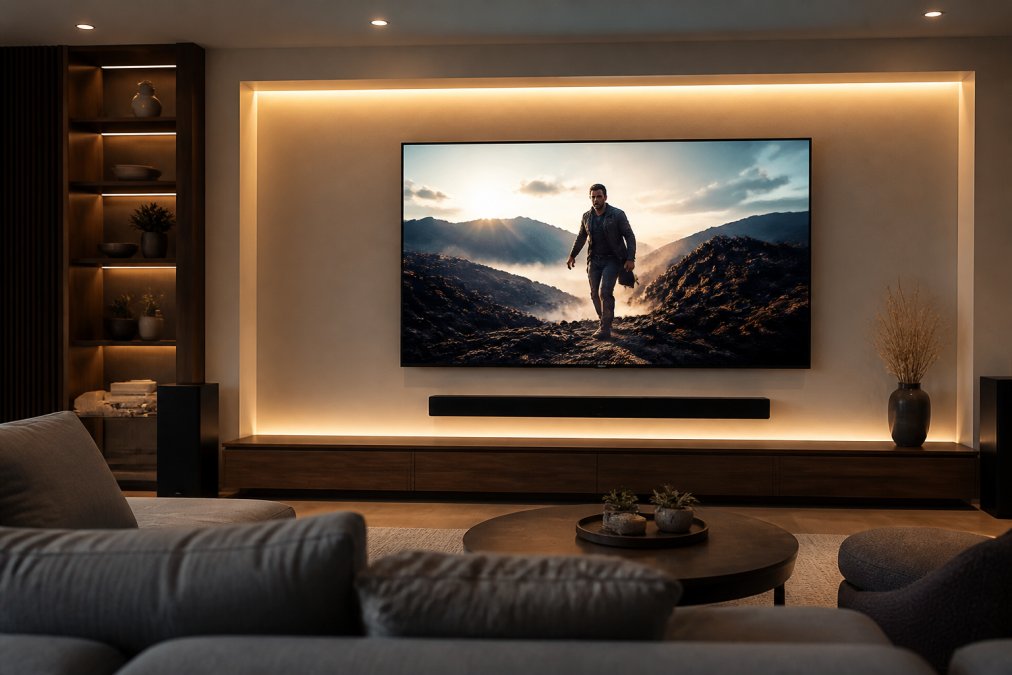
A real home theater integrates the picture, sound, and lighting into one immersive experience. Start with a good TV, layer in audio that matches the screen size, and add lighting that enhances mood without creating glare.
Premium TV Display: LG C3 OLED
The LG C3 OLED is the standard against which other TVs are measured. OLED means each pixel produces its own light, delivering truly black blacks and infinite contrast (peer-reviewed research). Brightness Booster technology prevents washout in bright rooms. The webOS smart platform is responsive and intuitive, with AI-driven picture enhancement that optimizes content in real time.
The 77-inch model starts at $1,499. There’s a theoretical risk of burn-in with static images, though modern OLED panels have protections built in and this is rare in practical use.
Best for: Home theater enthusiasts who watch regularly and want the best possible picture quality.
Immersive Audio: Sonos Arc Soundbar
The Sonos Arc delivers Dolby Atmos through eleven internal speakers, including dedicated height channels. Oscar-winning sound engineers fine-tuned it, and you hear that attention to detail in dialogue clarity and spatial imaging. Setup is straightforward: HDMI eARC connection to your TV and power. It integrates seamlessly with the Sonos ecosystem for future expansion.
At $899, it requires a TV with HDMI eARC or ARC support. For a true surround sound experience, you’ll eventually want rear speakers and a subwoofer, which multiplies the cost.
Best for: People who want immersive audio without running cables through walls.
Ambient Lighting: Philips Hue Play Gradient Lightstrip
The Philips Hue Play Gradient Lightstrip mounts on the back of your TV and syncs with on-screen content. When you’re watching a sunset, the lights glow orange and red. During action sequences, they pulse with the action. The 55-inch version is $229.99.
You need a Philips Hue Bridge and Hue Play HDMI Sync Box (sold separately) to unlock content-syncing. Without the Sync Box, you can use the lights for static ambient lighting only.
Best for: Gamers and movie enthusiasts who want to maximize immersion.
Voice-Controlled Smart Displays and Assistants
Smart displays are becoming the control center of home entertainment. A good one should have decent speakers, a responsive touchscreen, and reliable smart home integration.
Amazon Echo Show 10: Rotating Smart Display
The Echo Show 10 features a motorized 10.1-inch HD touchscreen that rotates to keep you in frame during video calls or while watching content. The built-in smart home hub controls Zigbee and Matter-compatible devices directly. Dual 1-inch tweeters and a 3-inch woofer deliver solid audio for background music or podcasts.
The motion tracking can be awkward sometimes, and there’s no automatic screen tilt.

Best for: Households that want a smart display that keeps up with you, especially in kitchens.
Portable and Flexible Entertainment Options
Not every entertainment experience happens on a fixed TV. Portable gadgets fill the gap for patios, guest rooms, or walls without permanent installation.
Samsung The Freestyle (2nd Gen): Portable Projector
The Samsung The Freestyle (2nd Gen) projects Full HD with HDR10+ support up to 100 inches. Auto Keystone and Auto Focus mean you point it at a wall and it figures out the geometry. The 360-degree audio with dual passive woofers is legitimately good for a projector this size. You get Samsung’s smart TV features and Gaming Hub built in.
At $799.99, it’s expensive for a portable projector, but you’re paying for convenience and integrated smart features. It requires power, though external USB-C batteries are available.
Best for: People who want flexibility and the ability to set up entertainment in different rooms.
Meta Quest 3: Immersive Mixed Reality Entertainment
The Meta Quest 3 blends virtual content with your physical surroundings. The 4K+ Infinite Display has 30% more pixels than the previous generation. The Snapdragon XR2 Gen 2 processor handles demanding games without lag. Touch Plus controllers have TruTouch haptics for realistic feedback.
At $599.99 for the 512GB model, it’s a significant investment. Some people experience motion sickness with VR, so that’s worth knowing before committing.
Best for: Tech enthusiasts and gamers exploring immersive entertainment beyond traditional screens.
How to Choose the Right Home Entertainment Gadgets for Your Budget
The best setup depends on how much you watch, what content you watch, and your budget.
If you’re on a tight budget ($300-500): Start with a Roku Ultra streaming device and a decent TV. Add wireless headphones if you watch late at night.
If you have a moderate budget ($1,000-2,000): Get a good TV with solid HDR support, add a soundbar like the Sonos Arc, and invest in quality streaming. The TV and audio combination delivers the biggest improvement.
If you’re building a premium setup ($3,000+): Add the LG C3 OLED, Sonos Arc, ambient lighting, and possibly a projector for a secondary space. Every component matters and should work together.
One principle applies across all budgets: don’t skimp on audio. A great picture with mediocre sound is disappointing. A good picture with great sound is immersive. The soundbar or speaker system delivers the most noticeable improvement.
Consider what you actually watch. If you’re primarily streaming shows and movies, prioritize a good TV and soundbar. If you game a lot, the streaming device matters more for low latency and fast performance. If you’re into immersive experiences, the Meta Quest 3 opens a different category entirely.
Greenmatrax.com helps you navigate these decisions by curating gadgets that actually deliver value. We focus on options that work well together and justify their price, rather than comparing every option on the market.
Conclusion
Building a home entertainment setup that works comes down to understanding how the pieces fit together. The TV is the foundation, the soundbar or speaker system makes it immersive, and the streaming device is the gateway to content. Add ambient lighting to enhance mood, a portable projector for flexibility, or a VR headset to explore something completely different.
The gadgets that matter most are the ones you’ll use every day. Greenmatrax.com helps you identify which ones are worth your money by focusing on genuine value and reliable performance. Start with a solid streaming device and a good TV, layer in audio that matches your space, and expand from there. A thoughtful setup beats an expensive one every time.
Frequently Asked Questions
Q: What are the best tech gadgets for a basic home entertainment setup?
A: Start with a quality streaming device like the Roku Ultra or Apple TV 4K for 4K content delivery, pair it with a good soundbar such as the Sonos Arc for immersive audio, and add a smart display like the Amazon Echo Show 10 for voice control and convenience. These three components create a functional, modern entertainment experience without overwhelming complexity or excessive spending.
Q: How do I build a smart home theater setup guide that integrates all my devices?
A: Begin with a premium OLED TV like the LG C3 as your display foundation. Add a Dolby Atmos-capable soundbar for cinematic audio. Include ambient lighting strips such as the Philips Hue Play Gradient Lightstrip to sync with on-screen content. Ensure all devices connect through a central smart home hub or voice assistant for seamless control. Verify compatibility before purchasing to avoid integration headaches.
Q: Can I find quality wireless headphones under 200 dollars for home entertainment?
A: Yes. The Sony WH-1000XM5 wireless headphones cost $399.99, but many excellent alternatives exist below $200. Look for models offering noise cancellation, 30+ hour battery life, and high-fidelity audio drivers. Check Greenmatrax.com's curated selection for vetted options that balance performance and affordability without sacrificing build quality or sound reproduction.
Q: What should I prioritize when choosing between different home entertainment gadgets?
A: Prioritize your primary use case first: gaming, movies, music, or general family entertainment. Next, ensure ecosystem compatibility across devices to avoid connectivity issues. Consider energy efficiency and long-term power costs, especially for always-on devices. Finally, verify that devices support modern standards like Wi-Fi 6E, Dolby Vision, and Dolby Atmos for future-proof performance and immersive experiences.
This article was written using GrandRanker